You know the feeling. You’re twenty minutes into a deep focus session and a thought pops up. A bug you need to fix later. A link to look up. An idea for something completely unrelated. And now you have a choice: break focus to write it down somewhere else, or try to remember it and probably forget.
Neither option is great. So we added a third one.
A notepad that stays out of the way
There’s now a small notepad icon in the bottom-right corner of your session screen. Tap it, jot your thought, and get back to work. It collapses back down to a single icon when you’re done.
It’s plain text, no formatting, no features. Think of it like scribbling in the margin of your notebook or slapping a sticky note on your monitor. That’s the whole idea.
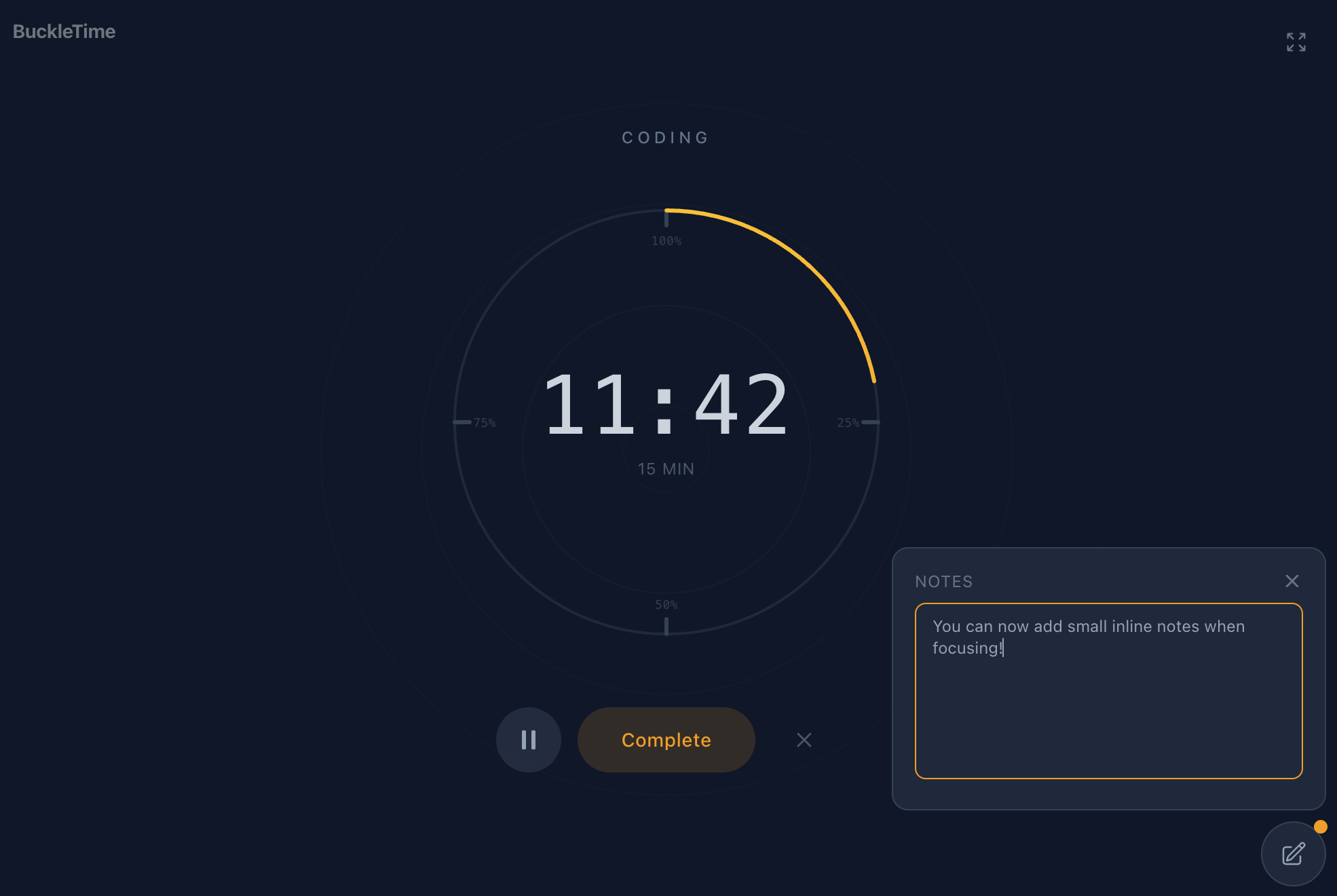
How it works
- Notes auto-save as you type. No save button, no thinking about it.
- Your notes survive pausing, resuming, and even closing the tab mid-session.
- When your session ends, your notes show up on the completion screen so you can copy them out and act on them.
- Past session notes are viewable in your session history. Look for the “View notes” link on any session that had notes.
There’s a 1,000 character limit per session. If you’re writing more than that, you’re probably not focusing.
Small on purpose
We thought about adding formatting, categories, tags, pinning, search. We decided against all of it. This isn’t a note-taking app. You already have one of those. This is a scratch space so you don’t lose a thought while you’re in the zone.
If it turns out people want more, we’ll figure that out later. For now, it does one thing and it does it quickly.
Go start a session and try it out.